Business systems
Software for transport and logistics businesses: where it helps first
Transport work runs on bookings, allocations, dockets and exceptions, often spread across phone calls, spreadsheets and carrier portals. The best first software project is usually the hand-off that fails most often, not the whole operation.
By Matteo Gelsomini ·
- Jobs and dockets
- Exceptions visible
- Records you can find
An operation that runs on hand-offs
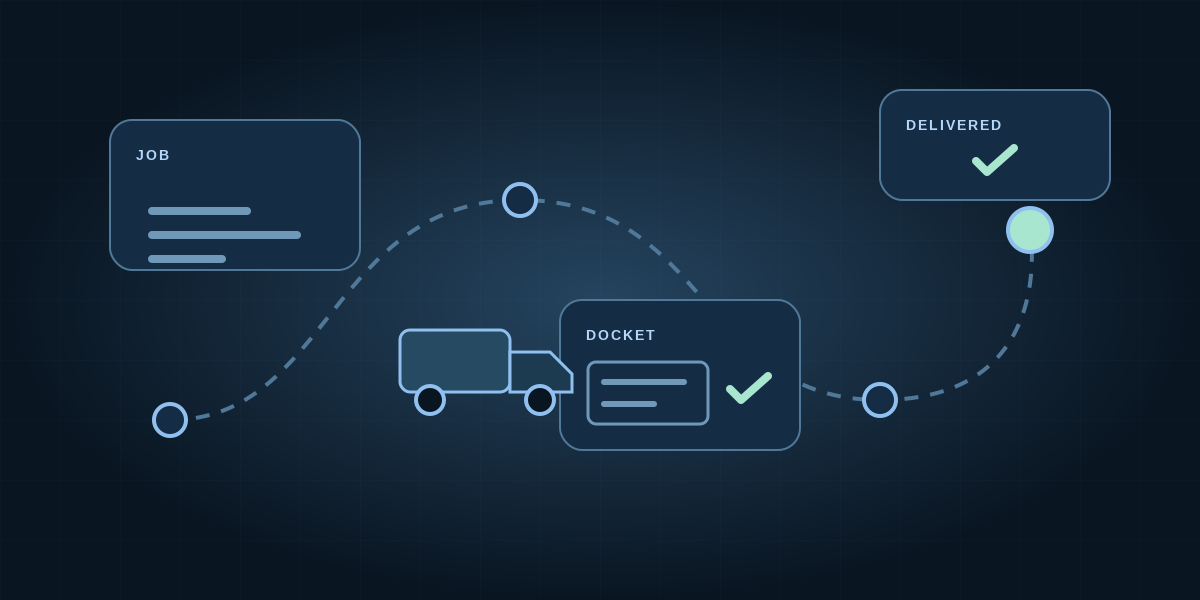
A transport job passes through many hands in a single day. A customer books it, someone checks the details, a planner allocates a vehicle and a driver, the driver collects and delivers, someone confirms proof of delivery and the office invoices it. Each step is simple. The difficulty is that each one often lives in a different place: an email inbox, a phone call, a spreadsheet, a carrier's portal, a driver's paper docket.
Matteo Gelsomini has worked in warehouses, air cargo, site logistics and freight coordination, and coordinates container transport operations. That experience shapes a simple view: most problems in a transport office are not about any single step, but about information that has to be re-keyed or remembered between steps.
Where software usually helps first
The right first project is the hand-off that fails most often or costs most when it does. In transport and logistics businesses, these come up repeatedly.
Job intake
Bookings arrive by email, phone and portal, with the details in different formats. One intake form, or one place where every booking is entered once, removes re-typing and gives each job a single reference that everyone uses.
Allocation and scheduling
Planners balance vehicles, drivers, time windows, cut-offs and customer requirements, often in their heads or a shared spreadsheet. A board that shows what is allocated, what is waiting and what has changed makes the plan visible to the whole office, not only to the person who built it.
Dockets and proof of delivery
Paper dockets travel slowly and get lost. Capturing proof of delivery, times and notes on a phone, even with patchy mobile coverage, means the office knows a job is complete the same day and can invoice it.
Exceptions
Failed deliveries, waiting time, damaged goods and changed instructions are where money and customer goodwill are lost. Recording them against the job, with a person responsible for the next action, turns them from a phone call into something that can be followed up and charged where appropriate.
Invoicing and reconciliation
When completed jobs, extras and exceptions sit in the same record, invoices can be prepared from it instead of rebuilt from dockets and emails. The accounting system stays where it is; it simply receives cleaner information.
Off the shelf first, custom where it does not fit
There are capable transport management and telematics products, and many businesses should use one. Custom software earns its place in the gaps: rules specific to your customers, a combination of services no product handles well, or the information that needs to move between products you already pay for.
Often the answer is a thin custom layer rather than a replacement: an intake portal that feeds the existing system, a board that combines information from two tools, or an integration that sends completed jobs to accounting. The guide to custom or off-the-shelf software sets out how to decide.
Delivery rules belong in one place
Delivery businesses often have rules that live in several places at once: postcodes served, cut-off times, delivery days and time windows. When the website, the staff tools and the dispatch hand-off each apply their own version, customers are promised things the operation cannot deliver.
The Fit & Healthy Chef platform is an example from a different industry with the same problem. Delivery zones, postcodes, cut-offs and time windows are decided by one set of server-side rules, and the hand-off to dispatch providers includes retries and exception handling. The same principle applies to any operation where what can be promised depends on where and when.
Records and the Chain of Responsibility
Under the Heavy Vehicle National Law, the Chain of Responsibility makes parties other than drivers responsible for heavy vehicle safety. That includes businesses that employ drivers, operate vehicles, schedule, consign, load or receive goods. The NHVR describes a primary duty to ensure, so far as is reasonably practicable, the safety of your transport activities. The national law does not apply in Western Australia or the Northern Territory, which have their own laws.
Software does not make a business compliant, and no system replaces the judgement of the people running it. It can help keep the evidence in order: schedules and time windows that are realistic, loading and mass information recorded against the job, and a history of who changed what. Confirm what your own obligations and records should be with the NHVR's guidance and your adviser before you design anything around them.
Connecting to carriers and customers
Transport businesses rarely work alone. Customers send bookings from their own systems, carriers and depots run their own portals, and the accounting system expects invoices in its own format. Each connection that is handled by copying and pasting is a place where a job can be delayed or charged incorrectly.
Integrations remove that copying, but they need care: connected systems change, go offline and occasionally send unexpected data. A reliable integration records what it sent and received, retries when a service is briefly unavailable and tells a person when it cannot finish. The business automation page describes how these connections are scoped.
Designing for drivers and the yard
Software used outside the office has different requirements. Screens must work in sunlight, with gloves, on an older phone and without a reliable connection. Each extra tap at a delivery is multiplied by every drop of every day, so the driver's part of a system should ask only what the office actually needs.
The same applies in the warehouse. A process that works at a desk can fail at a loading dock. Testing a new workflow with the people who will use it, on a real shift, reveals more than any number of meetings.
Frequently asked questions
Do we have to replace our current transport software?
Rarely. Most first projects connect to existing tools or fill one gap between them. Replacing a core system is a separate decision, made when working around it costs more than changing it.
Can drivers use it without mobile coverage?
It can be designed for that. The app records the delivery on the phone and sends it when a connection returns. This needs to be planned from the start, because it affects how data is stored and checked.
Can it connect to our accounting software?
Usually, through the accounting product's official interface. The integration sends invoices or completed jobs and records what was sent, so mismatches can be found and fixed.
Where do we start?
With the hand-off that causes the most re-keying or the most missed follow-ups. A process review maps it and produces a fixed quote for a first release.
Further reading
- NHVR — Chain of Responsibility: How the Heavy Vehicle National Law makes parties other than drivers responsible for heavy vehicle safety.