Business systems
Client onboarding, from enquiry to signed agreement
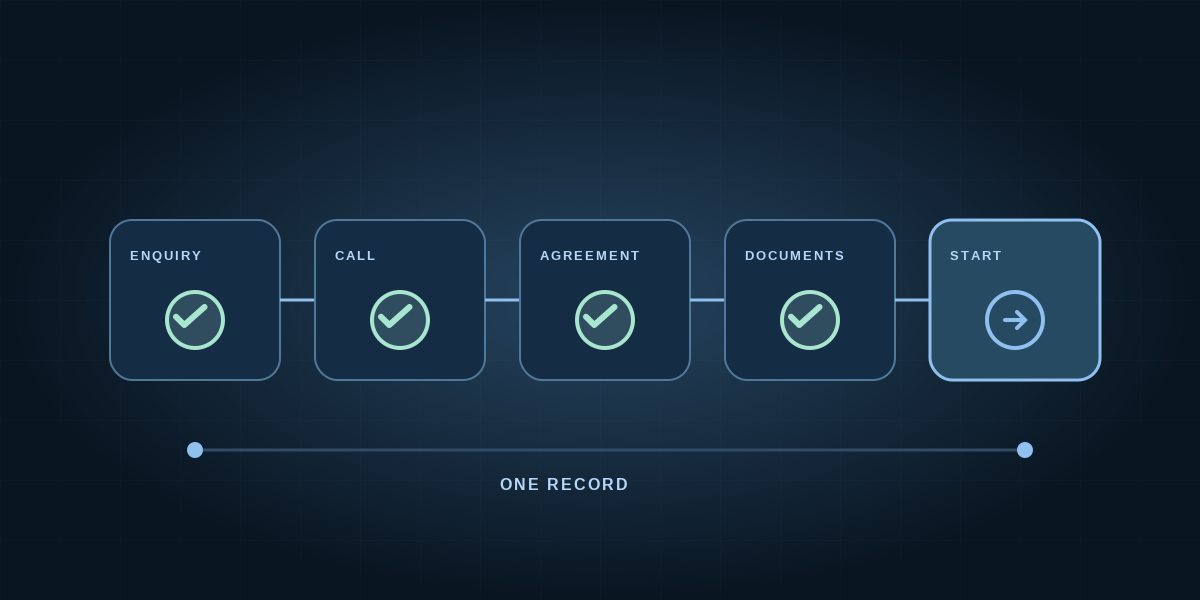
The weeks between a first enquiry and a client's first delivery decide how the relationship starts. Designed as one workflow, with a single record and a clear next step at each stage, they need fewer emails and lose fewer people.
By Matteo Gelsomini ·
- One record
- Clear next step
- Signed online
Onboarding is a workflow, not a welcome email
For a service business, onboarding usually means several stages: an enquiry, a check that the client is a good fit, a conversation, an agreement, the information or documents needed to begin, and the first piece of work. Each stage is reasonable. Together, handled through a form tool, an inbox, a calendar, a CRM and a signing service, they become a chain of hand-offs that depends on someone remembering the next step.
When onboarding is designed as one workflow, the business can see where every prospective client is, what they are waiting for and who is responsible for moving them forward. The client, in turn, sees what happens next instead of wondering whether their email arrived.
Stage by stage
Intake: ask only what this stage needs
A long first form loses people; a short one that misses the essentials creates a round of follow-up emails. The useful middle is to ask what is needed to decide the next step, such as eligibility or the type of service, and nothing more. A guided form that adapts to earlier answers can collect more context without feeling longer.
Qualification and the first call
Every enquiry should become a record with an owner and a next action, even if the action is to decline politely. During the call, a structured sheet keeps the conversation consistent between staff and stores the answers on the same record, rather than in a notebook.
Proposal and agreement
Agreements generated from the information already collected avoid retyping names, prices and terms. Signing online removes the print-scan-email loop. In Australia, electronic transactions laws generally allow agreements to be signed electronically, but some documents and situations are exempt or have special requirements, so confirm with your adviser which of your documents can be signed this way.
Documents and set-up
This is where sensitive information arrives: identity documents, financial records, contracts. Uploads should go to a client area with controlled access, attached to the client's record, not to an inbox where they are copied and forwarded. Each document needs a status, such as received, checked or needs replacing, so nobody has to ask twice.
The first delivery
Onboarding ends when the client receives the first piece of real work. Making that moment explicit, with a stage of its own, stops new clients drifting between "signed" and "started".
An example: one portal for the whole journey
Astrafifo helps people find FIFO work in Australia. Each new client moved through an enquiry, an eligibility call, an agreement, onboarding steps, document checks and job applications, and every step lived in a different tool.
The portal now holds one record per person from the first enquiry. A guided application captures eligibility context and creates the lead for staff. The call is recorded on a sheet that follows the conversation. The agreement is issued and signed online. Each client sees their next step, uploads documents and follows their progress, in Italian or English. Staff move cases through stages on a board, review documents and log applications on the same case. Astrafifo is replacing its CRM, its automation tool and its separate form and e-signature tools with the portal.
Common mistakes
Most onboarding problems are not technical. They come from a few habits that are easy to fall into when a business grows faster than its process.
- Asking for every document at the first contact, before the client has decided to proceed.
- Keeping the status of each client in one person's head or inbox, so nobody else can answer a question about it.
- Sending agreements as attachments and re-entering the signed details by hand.
- Treating a signed agreement as the end of onboarding, when the client is still waiting for anything to happen.
- Automating reminders to clients without a person who owns the cases the reminders do not resolve.
Who owns each stage
A workflow is only as reliable as its owners. Each stage needs a person or role responsible for moving a client forward, and a rule for what happens when nothing moves: a reminder to the client, an alert to staff, or a decision to close the record. Writing these down is often the most valuable part of designing onboarding, before any software is involved.
It also makes handovers easier. When someone is away, their cases remain visible on the board with their history, so a colleague can continue without reconstructing the conversation from emails.
What to measure
Once onboarding runs through one system, a few simple measures show where it can improve. None requires complex analytics; they come from the stage history of each record.
- How many enquiries reach each stage, and where most of them stop.
- How long each stage takes, and which ones wait on your team rather than on the client.
- How often documents are rejected or requested twice.
- How long it takes from signed agreement to first delivery.
Privacy is part of the design
Onboarding collects personal information, sometimes sensitive. Collect only what the stage needs, limit who can see each document, keep a record of access and decide how long each kind of document is kept. The accounting portal guide covers these questions in more detail; the obligations themselves depend on your business, so confirm them with your adviser.
Building it in steps
Onboarding does not have to be rebuilt at once. The operations portal packages on this site follow the same order a business usually needs. Essential, from AUD 3,000, covers enquiry intake, follow-up with next actions and a staff board. Standard, from AUD 4,500, adds a client area with secure accounts and document handling. Complete, from AUD 6,000, adds agreements signed online, call sheets and reporting. Each starts with a process review and a fixed quote.
Frequently asked questions
Can we keep our CRM?
Often, yes. The onboarding workflow can feed an existing CRM, or replace the parts of it that do not fit. The custom CRM guide helps decide which.
Will clients actually use a portal?
They use it when it saves them effort: one place to see the next step, upload a document or sign. A portal that only duplicates email is ignored.
How long does onboarding software take to build?
It depends on the stages included. The fixed quote after the process review includes the timeline, so you know before the build begins.
Further reading
- Attorney-General's Department — Electronic signatures, documents and transactions: How the Electronic Transactions Act treats signatures and documents made electronically, and its exemptions.